OSCP+ exam documentation is easier to complete when you build it from organized notes instead of trying to recall every step afterward. If you are exploring the certification, see this overview of the OSCP+ certification. A clear report connects each target, action, command, result, and proof item. It should let a technically competent reader follow the documented attack process and understand how you met the relevant exam objectives.
Use a report template to keep your notes consistent, but treat the current OffSec exam guide and Exam Control Panel as the source of truth for requirements. OffSec allows candidates to use its Word or OpenOffice/LibreOffice templates, or a custom template that presents the required information in a structured, professional way. The report must reflect your own authorized exam work.
Why a reporting workflow matters
The OSCP+ exam evaluates practical penetration testing skills, and the report is part of demonstrating those skills. A successful technical step may not be credited if the report does not explain it clearly or include the required evidence. OffSec warns that insufficient documentation can reduce or eliminate points for a target. It also says report submission is final, so missing screenshots and details cannot be added later.
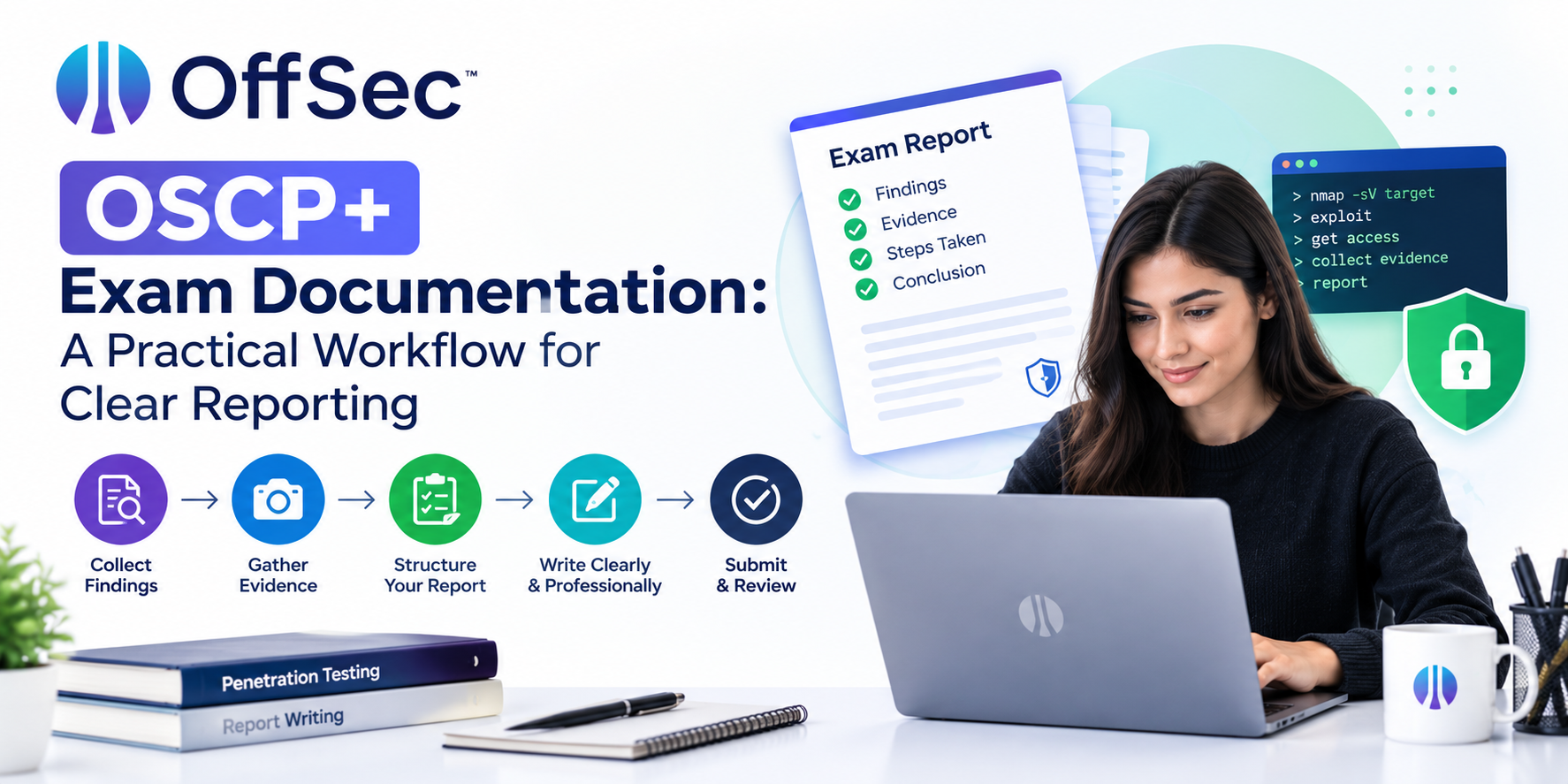
A good OSCP+ exam report documentation workflow starts before the exam. Set up a structure for organizing notes, screenshots, and target details. During the exam, record relevant findings as they happen. Afterward, turn those notes into a readable penetration testing report and check it against the official submission requirements.
The aim is not to write a long narrative for its own sake. The aim is to make the important evidence easy to locate and the steps easy to follow.
Prepare an OSCP+ exam report template
Before exam day, choose a report template and confirm that it works for your writing process. OffSec provides templates for Microsoft Word and OpenOffice/LibreOffice. You can use one of these or create your own structured document.
A practical template can include:
- A title page
- A contents page or clear section navigation
- A separate section for each target
- Space for findings and attack steps
- Command and output records
- Exploit source and modification notes
- Proof screenshot placeholders
- A final review checklist
A consistent OSCP+ report structure helps prevent one target from being documented thoroughly while another is missing key details. Use the same set of headings for every target, but adapt the content to the actual objective and evidence. Do not assume that every target will require identical steps.
Your template is an organizational tool. It does not define exam objectives or replace instructions in the Exam Control Panel. Check the exam guide before relying on any saved format, especially if you prepared it well before your attempt.
Keep notes organized by target
Separate your notes and evidence by target as you work. Use a clear identifier in your document and in the names of local notes or screenshots. Avoid combining findings from multiple systems in one section, because that can make it difficult to tell which command or proof belongs to which target.
A simple tracking table can help you see what still needs attention:
| Target section | Notes to record | Evidence to check |
|---|---|---|
| Target identifier | IP address and relevant target details | Correct target shown in evidence |
| Initial findings | Relevant services and observations | Output that supports the next step |
| Attack sequence | Commands, results, and decisions | Screenshots where required |
| Access and escalation | Account or privilege level achieved | Evidence tied to the objective |
| Proof | Required proof file and submission status | Screenshot with contents and IP |
Use this table as a personal tracking aid, not as a substitute for the OffSec requirements. The Exam Control Panel contains target objectives and other exam-specific information. Follow those instructions when deciding which evidence to capture and submit.
Record attack steps while they are fresh
An OSCP+ penetration testing report should tell the story of the documented work in order. For each meaningful action, record what you did, what you observed, and what you did next. Include the relevant command and output rather than writing only a conclusion such as “gained access.”
For example, if a service observation led you to investigate a particular path, note the observation and the follow-up action. If the result did not work, record that only when it explains a later decision or helps make the sequence understandable. Keep the account focused on the steps that support the objective.
Good OSCP+ commands and console output in the report serve as evidence of the process. Capture enough output to explain the finding, but avoid pasting long, unrelated terminal logs. Label screenshots and output by target so you can retrieve them during report writing.
When you use an exploit, document its source and how you used it. OffSec’s guide says that for an unmodified exploit, candidates should provide the source URL rather than copying the entire code into the report. If you modified an exploit, document the modified code, original source, relevant shellcode generation command where applicable, the changes, and why you made them. Include scripts or proof-of-concept code required for the submission as text inside the PDF report.
For more details about organizing an OSCP+ exam report template and documenting the reporting requirements, read this OSCP+ exam documentation and report template guide.
Handle proof files and screenshots carefully
OffSec requires candidates to submit the contents of required proof files through the Exam Control Panel before the exam ends and include proof screenshots in the report. The guide specifies that the screenshot must show the proof contents and the target’s IP address. It also describes retrieving the file from its original location through an interactive shell using type or cat.
Keep an OSCP+ report screenshot checklist beside your notes:
- The screenshot belongs to the correct target.
- The proof contents are visible and readable.
- The target IP address appears in the image.
- The evidence is included in the corresponding report section.
- The caption explains what the screenshot demonstrates.
- The proof has been entered in the Exam Control Panel.
The control panel does not indicate whether a proof value is correct. Verify the value before submission. The OSCP+ local.txt and proof.txt screenshots should support the same target and objective described in the report. Missing proof evidence can result in no points for that target, so check screenshots while you still have the opportunity to correct your documentation.
Turn working notes into a readable report
When the exam ends, use your notes to complete the report rather than reconstructing the whole process from memory. OffSec allows an additional 24 hours after the exam ends for report submission. Use that time for writing, formatting, and checking.
For each target, organize the report around a simple sequence:
- Identify the target and relevant objective.
- Describe the key finding that informed your approach.
- Document the steps, commands, and relevant output.
- Explain the result of each important action.
- Include the required proof and screenshots.
This OSCP+ report writing guide is a workflow suggestion, not a replacement for the official format requirements. Make sure your narrative does not skip from an initial finding directly to proof without showing the documented steps in between. Use concise explanations so a reader can understand why a command or result matters.
Meet the file and submission requirements
The current OffSec exam guide requires a PDF report packaged in a .7z archive. The archive must not be password-protected and must be no larger than 200 MB. The guide specifies case-sensitive filename patterns:
| File | Required pattern |
|---|---|
| PDF report | OSCP-OS-XXXXX-Exam-Report.pdf |
.7z archive |
OSCP-OS-XXXXX-Exam-Report.7z |
Replace OS-XXXXX with your OSID and preserve the stated structure and capitalization. The OSCP+ exam report PDF and 7z requirements also specify that the archive should contain the PDF in the accepted format. Put any required scripts or proof-of-concept code inside the PDF as text rather than adding extra file types to the archive.
After uploading the archive through OffSec’s designated process, compare the displayed MD5 hash with the hash of your local file. This OSCP+ exam report MD5 verification helps confirm that the uploaded archive matches the one you prepared. If the values differ, follow the upload instructions to select and upload the file again. Complete the final submission action after verifying the hash.
Final review: common reporting mistakes
Common OSCP+ report documentation mistakes include unclear steps, missing command output, screenshots without the target IP, proof entered in only one place, and an incorrect archive name. Formatting problems can also make evidence hard to read, even when the correct information is present.
Before uploading, review each target section and ask:
- Can a technically competent reader follow the documented steps?
- Does each screenshot support the claim beside it?
- Are required proof items visible and readable?
- Does the PDF open correctly after export?
- Do the filenames, archive type, and size match the guide?
- Does the uploaded MD5 hash match the local archive?
- Have I completed the final upload submission step?
This is how to make an OSCP+ exam report reproducible: preserve the relevant sequence, evidence, and results while working, then check the finished PDF against the official guide. For help planning your certification preparation, contact the training team.
About the author
NYTCC is at the forefront of security and technology education, providing premier IT security training and information security consulting. Our mission is to empower individuals by helping them achieve their educational and professional objectives. NYTCC provides high-quality training programs to boost our clients' success, enhance their professional reputation, and improve their marketability. Become an expert in IT security and unlock new opportunities with NYTCC.
Comments
Join the discussionNo comments yet. Be the first to comment.